GenFlow
Designing a complex, AI-powered workflow builder from scratch that guides users to achieve outcomes without technical friction.
The Starting Point
GenFlow began as a foundational idea:
There was no existing UX, no established flows, and absolutely no reference product internally. I was responsible for defining how this entire product should work from scratch.
The Core Problem
Workflow tools already exist in the market—but they come packed with inherent friction.
- Too many nodes, connectors, and configurations.
- An incredibly high learning curve for non-technical users.
- Massive visual clutter as workflows scale in complexity.
- A complete lack of guidance while building flows.
What I observed:
Most tools expect users to essentially think like engineers.
Reframing the Problem
Instead of asking, "How do we design a better workflow builder?", I entirely reframed the foundational question.
The New Focus
How might we let users focus entirely on outcomes, rather than logic?
This paradigm shift became the unshakeable foundation of the entire product design.
Key Insight
Through user exploration, one critical idea stood out amongst the rest:
Users don't struggle with workflows—they struggle with how to start and what comes next.
That meant the UX shouldn't just be an empty canvas enabling the building of flows—it should actively guide their thinking process.
Design Principles
I defined three core principles that shaped the entire experience:
Principle 1
Guide, Don't Just Enable
The system should proactively suggest next steps, not wait passively for user input.
Principle 2
Reduce Visual Complexity
Even complex workflows should feel distinctly structured, never overwhelming.
Principle 3
Think in Outcomes
Users explicitly define their goals → The system automatically helps build the underlying flow.
Designing the Experience
Instead of jumping blindly into UI creation, I rigorously designed the interaction model first.
A. Starting the Flow
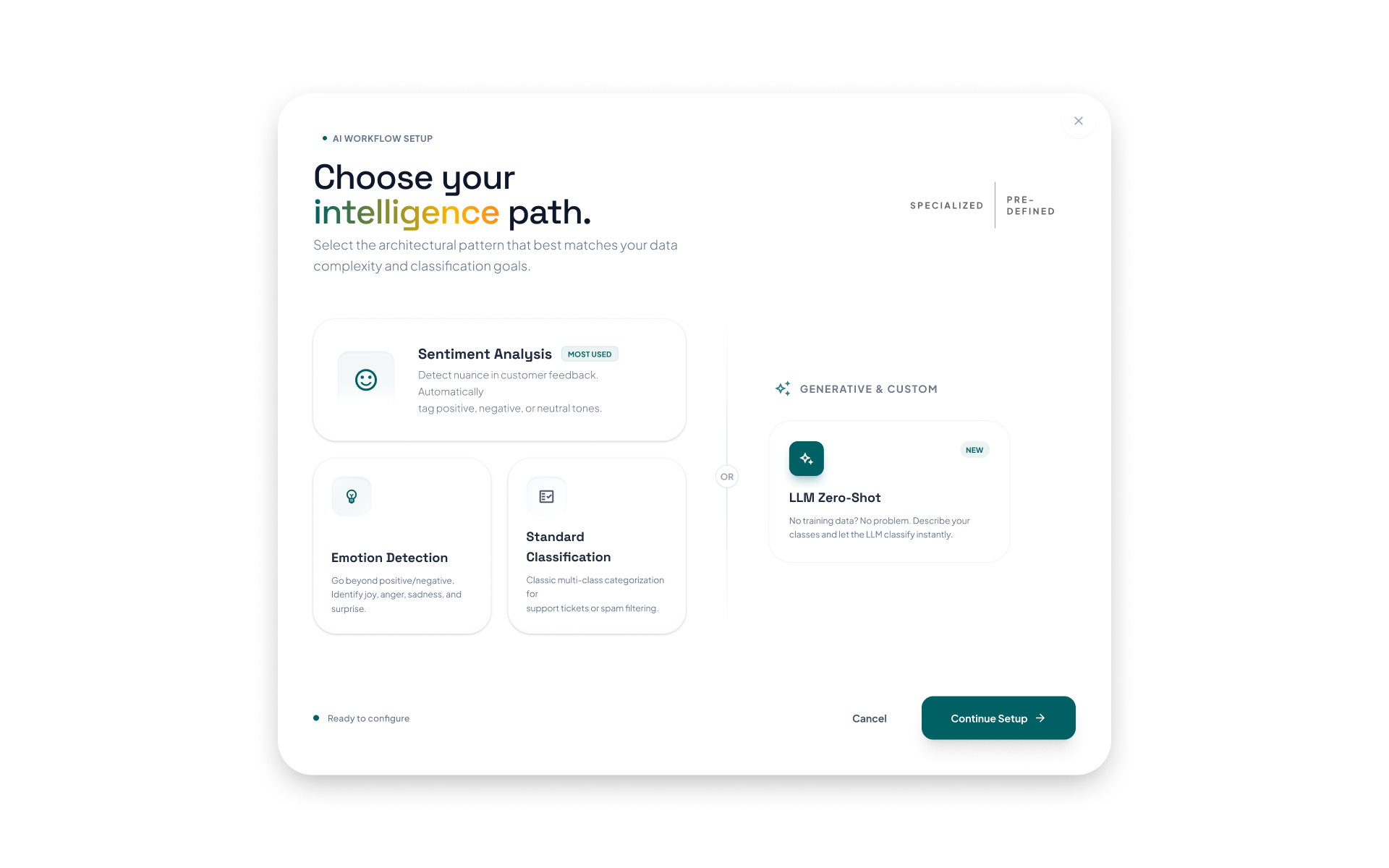
Instead of presenting a blank, intimidating canvas (as is common in most tools), I introduced prompt-based flow creation. Users start by simply describing what they want in plain English.
- "Send alerts when sales drop."
- "Automate report generation every week."
B. AI-Assisted Flow Generation
Once prompted, the GenFlow AI interprets intent, automatically generates an initial workflow, and suggests required steps and logic. This entirely removes the "Where do I begin?" barrier.
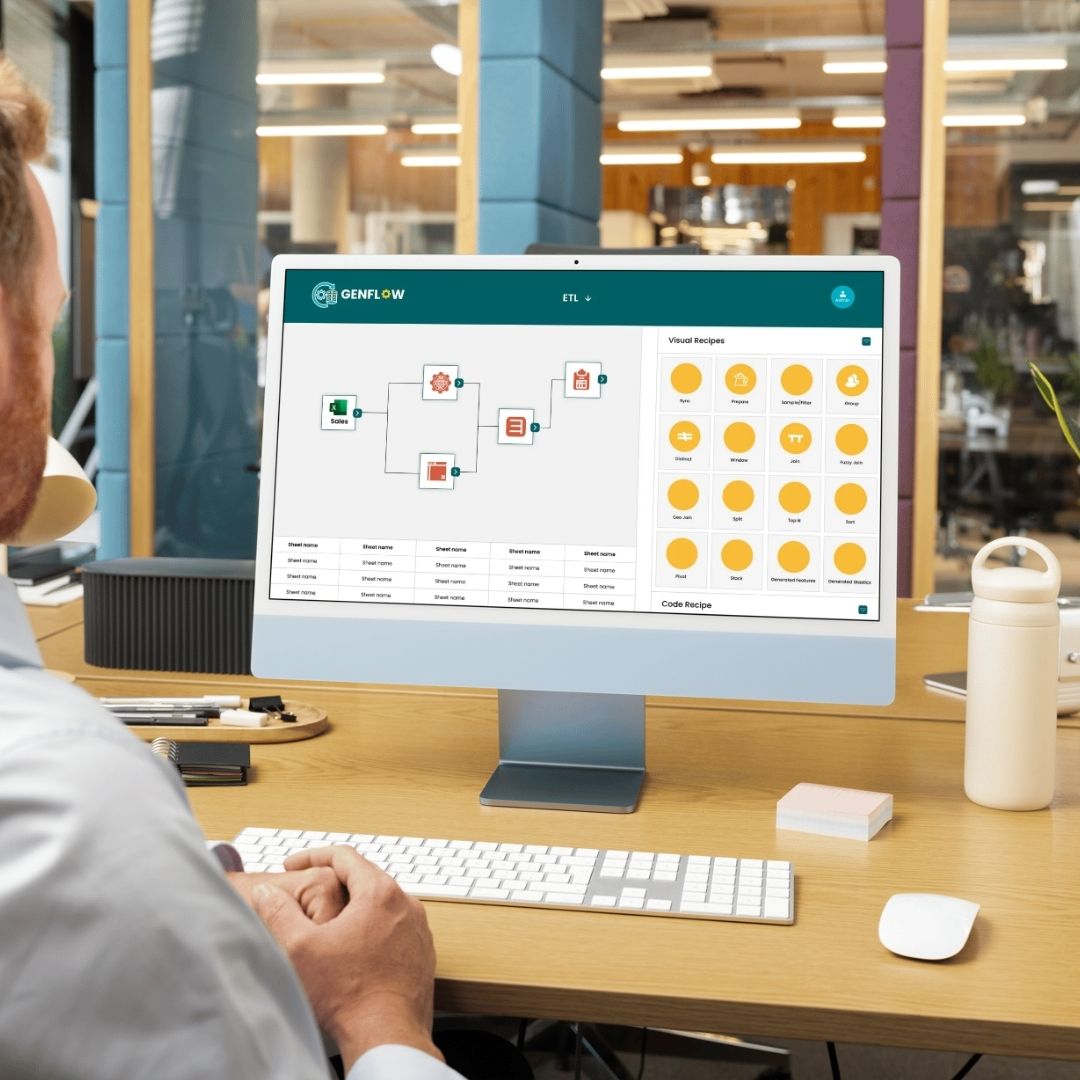
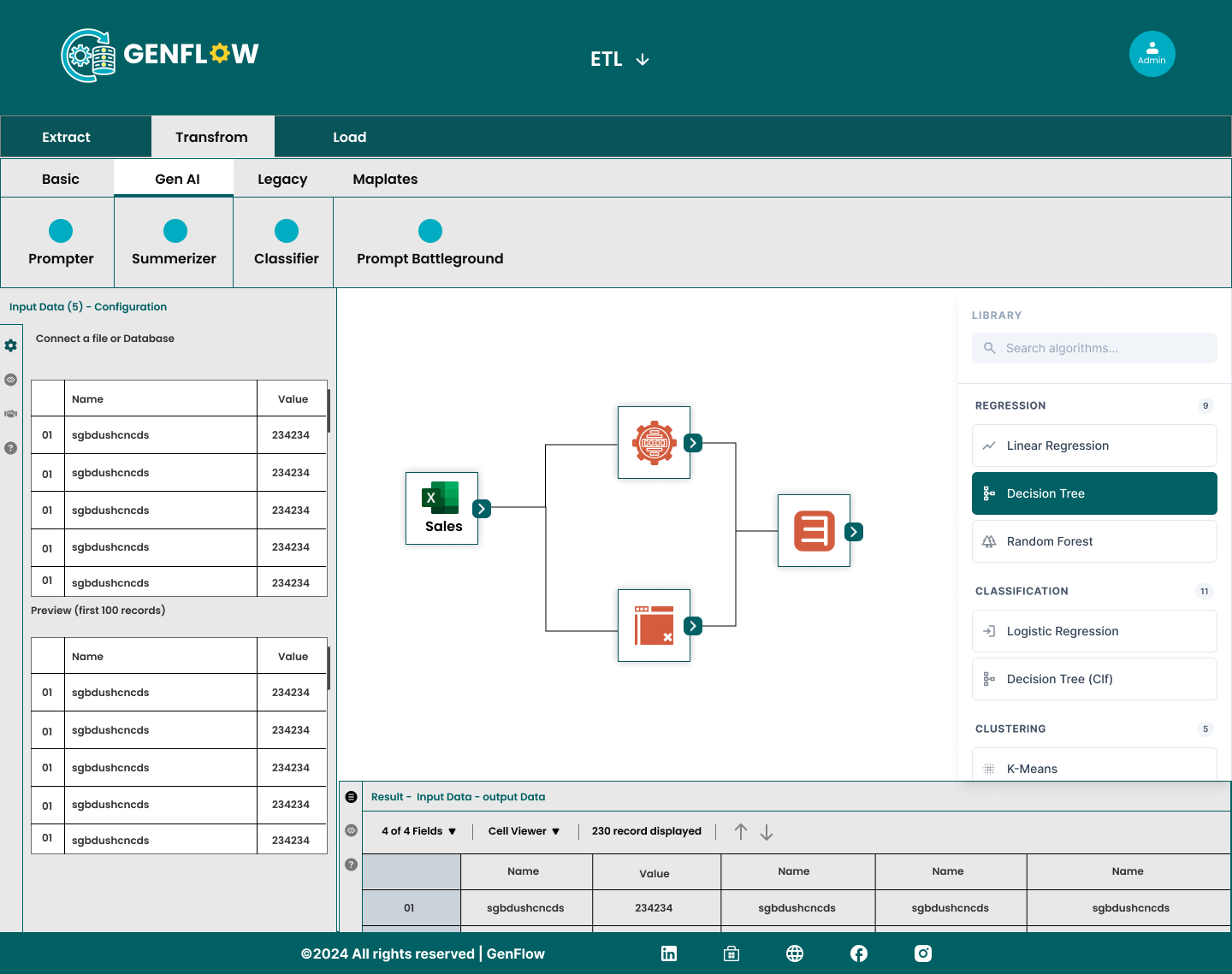
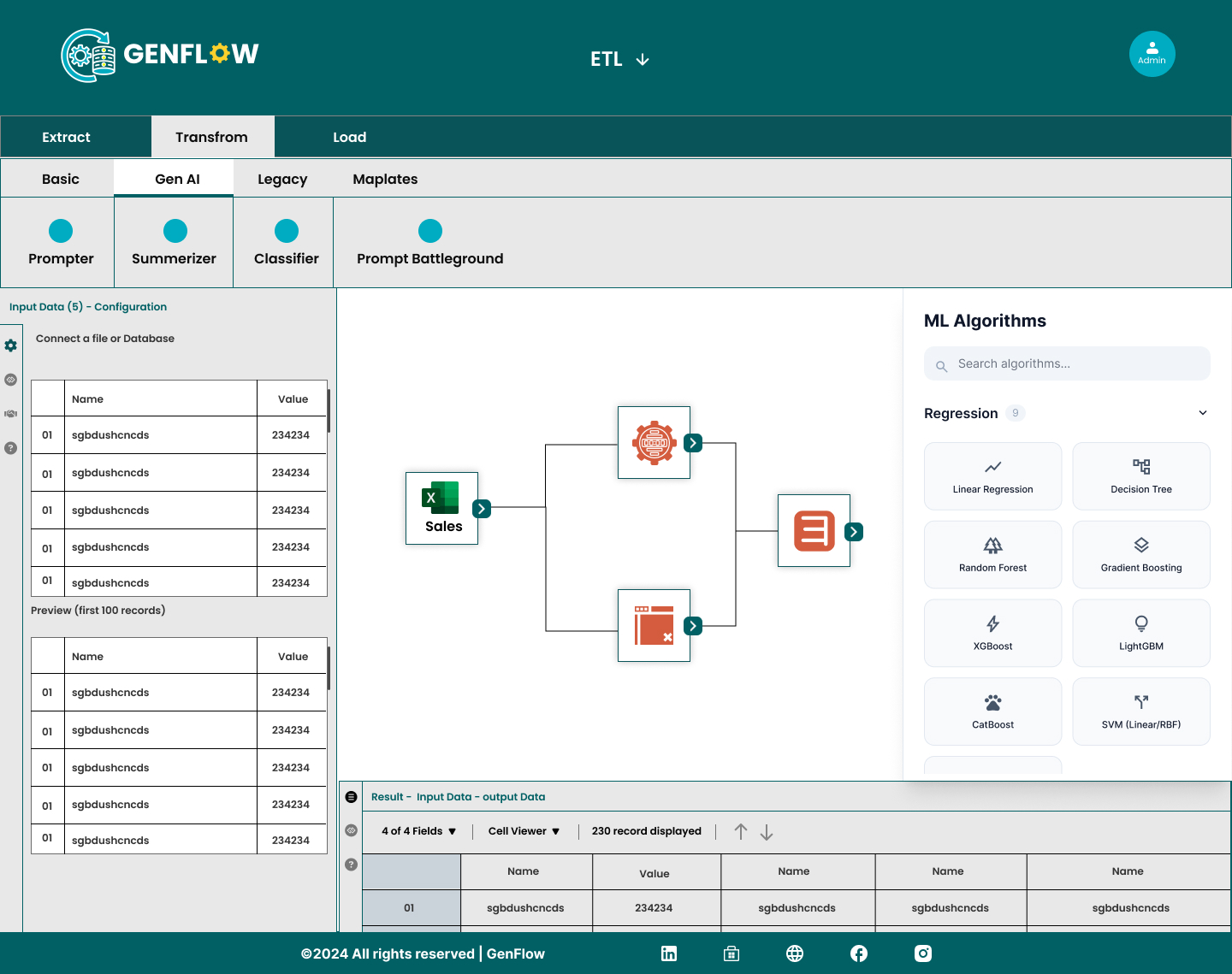
C. Visual Flow Builder
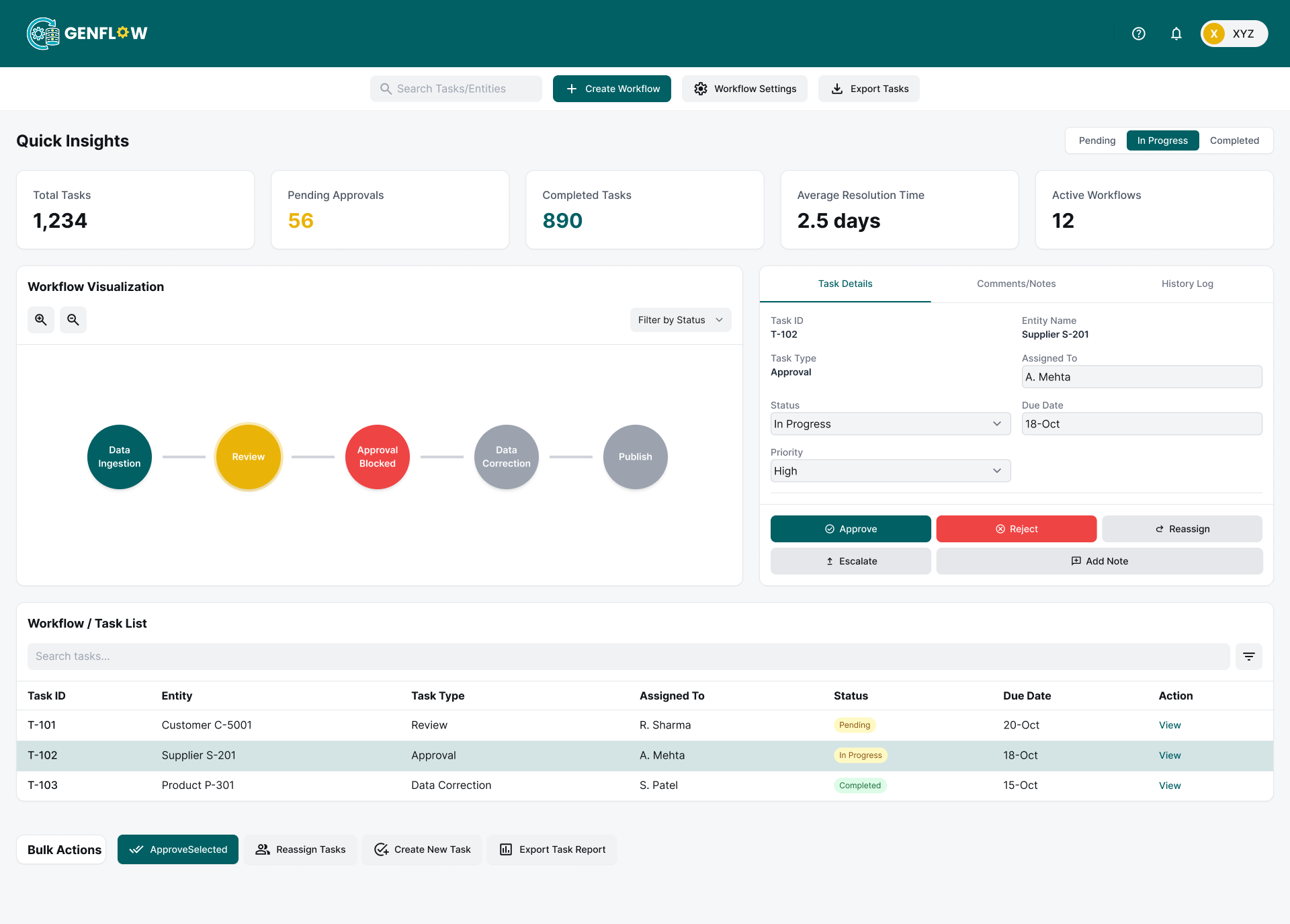
Once generated, users can easily view the flow as a structured diagram, edit steps, or add/remove nodes. My key UX decision here was to explicitly keep the interface modular and clean, actively avoiding visual clutter.
"Automate Weekly Sales Report"
User defines the goal in plain English.
Intent Recognition
Mapping keywords to data sources and logic operations.
Sales DB Query
Extracting raw performance metrics.
Target Check
Checking if sales hit 100% of goal.
Automated Slack Alert
Workflow executed successfully.
D. Step-Level Clarity
Every individual node in the workflow transparently displays exactly what it does, what its inputs/outputs are, and any dependencies. This helps non-technical users understand the system logic instantly.
E. Continuous Guidance
Instead of leaving users isolated, the system continuously suggests optimal next steps, flags missing or broken logic, and recommends automations. The experience becomes inherently collaborative, rather than manual.
Challenges I Solved
1. Blank Canvas Problem
Users didn't know how to start.
Solution:
Implemented prompt-based conversational flow generation.
2. Visual Overload
Complex workflows became messy fast.
Solution:
Utilized structured layout grids, progressive disclosure, and collapsible node sections.
3. Technical Barriers
Non-technical users struggled with abstract logic.
Solution:
Adopted simplified plain-language labels, AI-assisted building tools, and predefined outcome templates.
The System I Designed
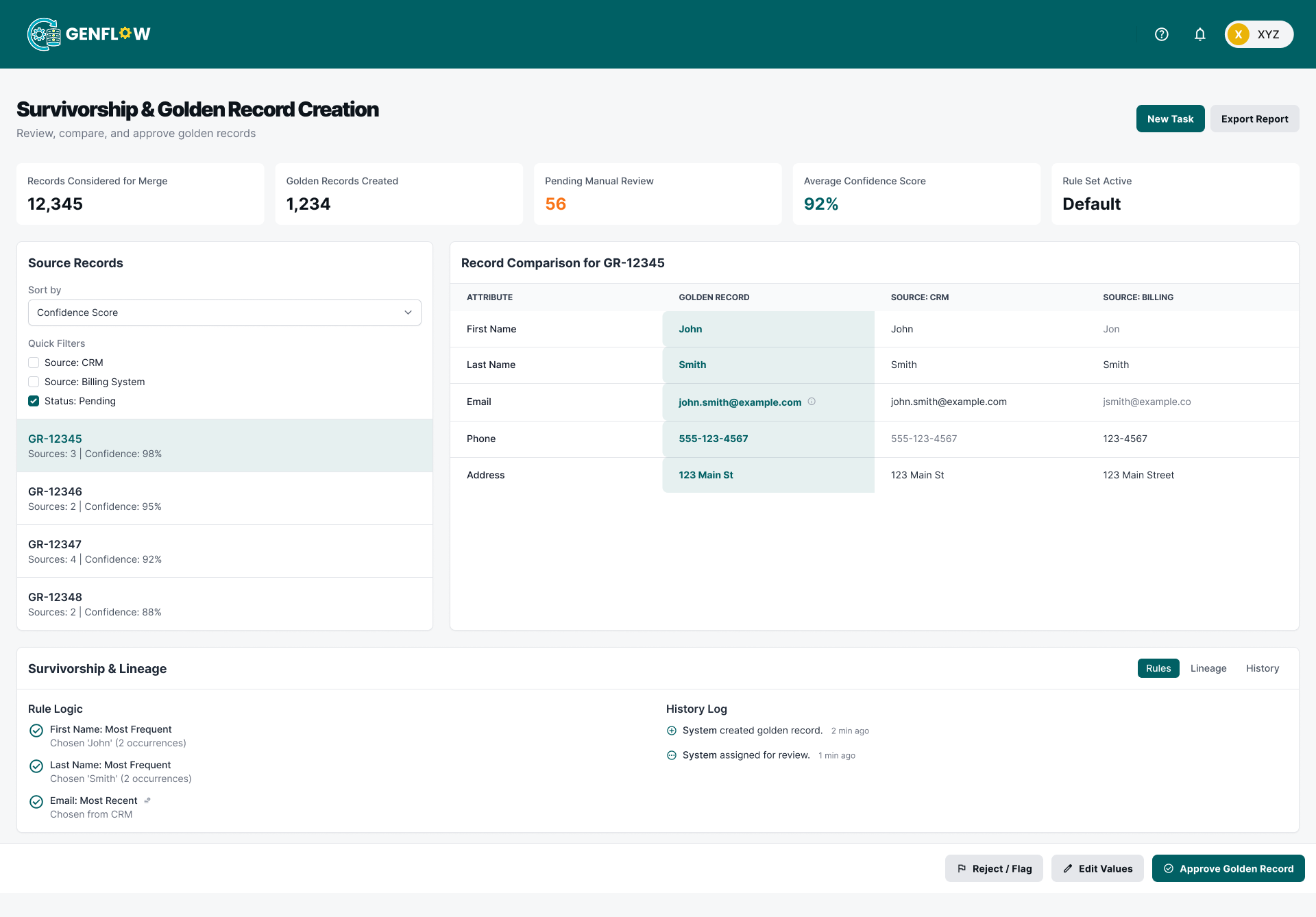
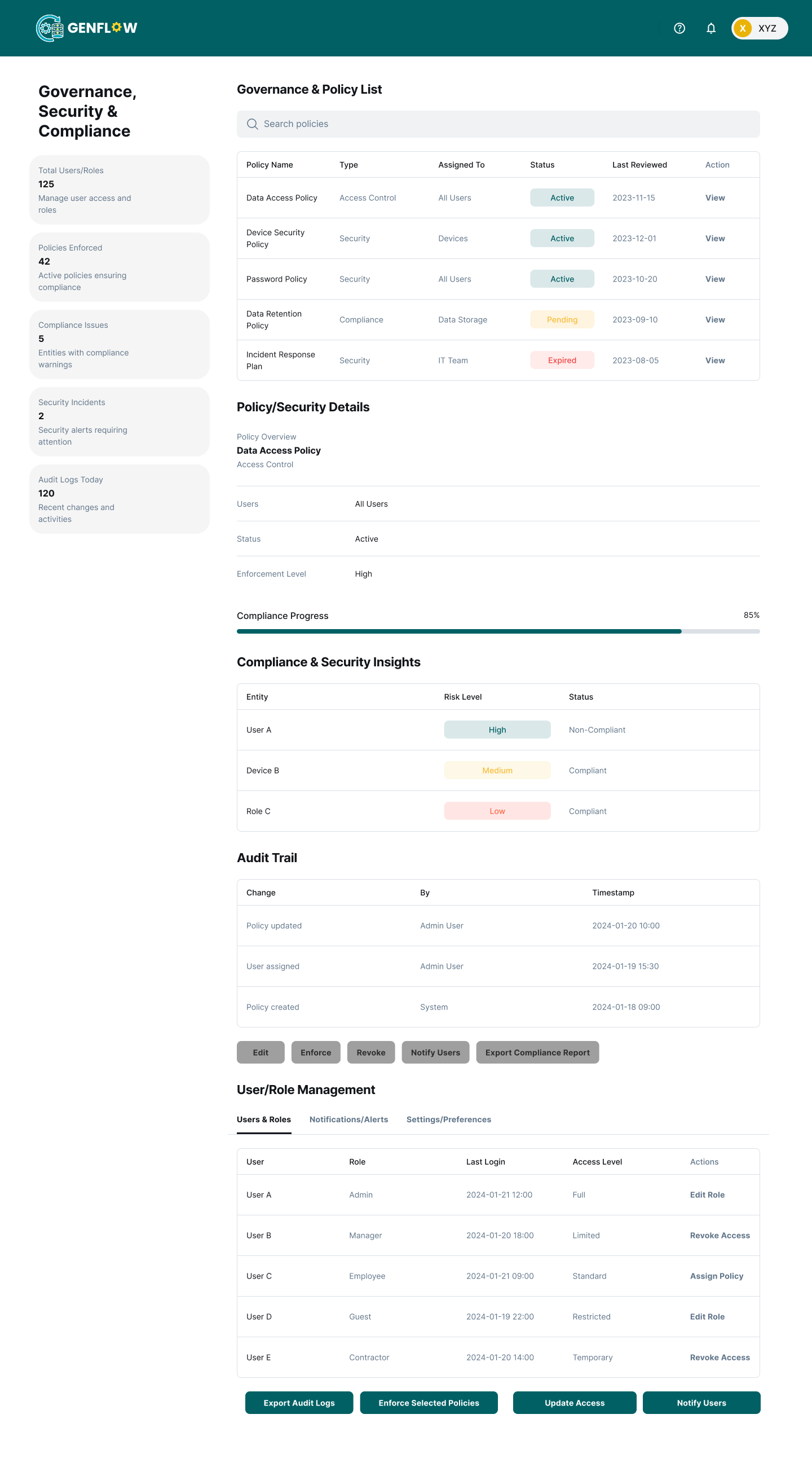
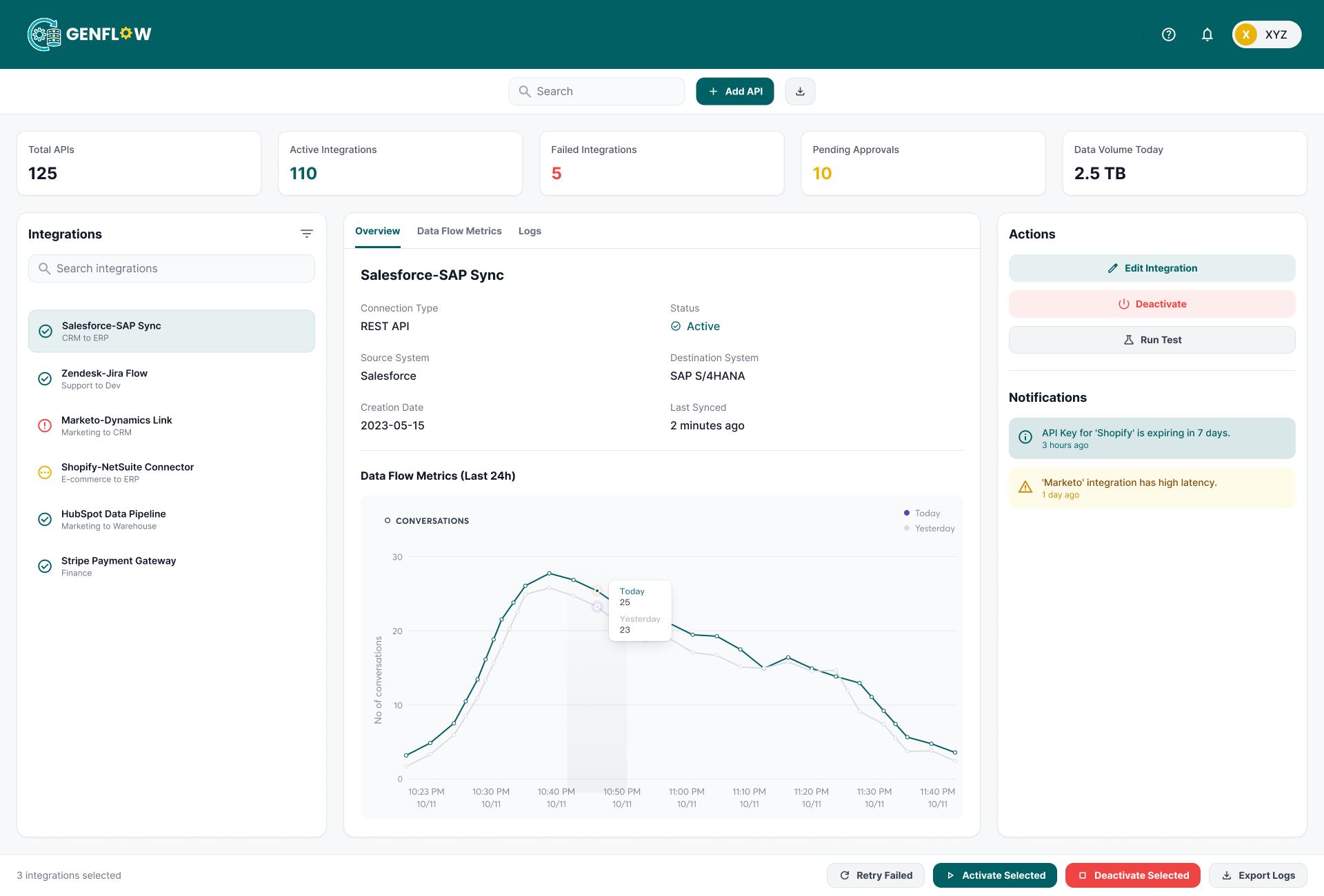
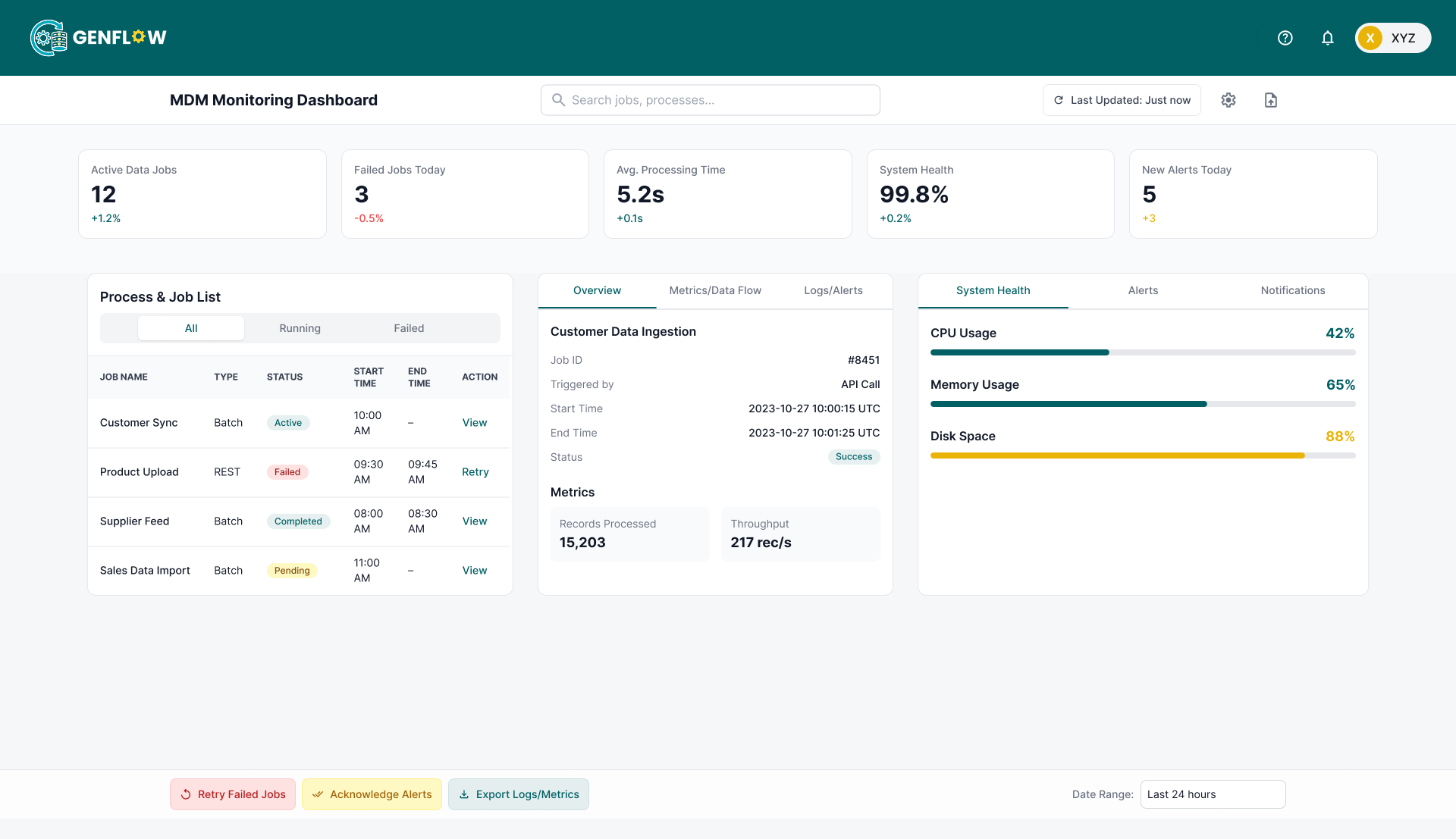
GenFlow ultimately evolved into a powerful, frictionless system built upon three distinct layers:
- 1. Input Layer: The user defines their intent (via a text prompt or predefined template).
- 2. Intelligence Layer: The AI interprets the request and maps out the necessary workflow logic.
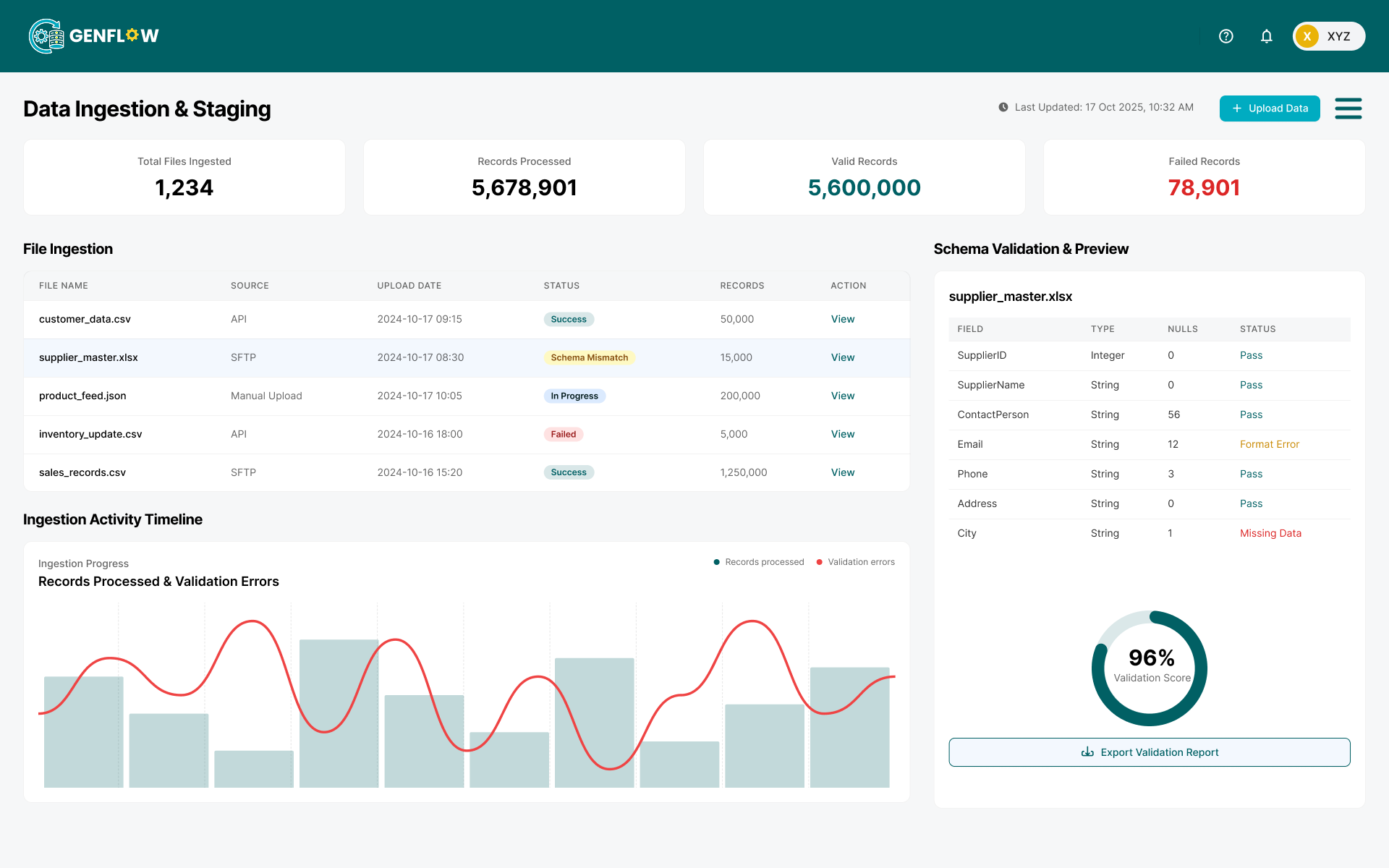
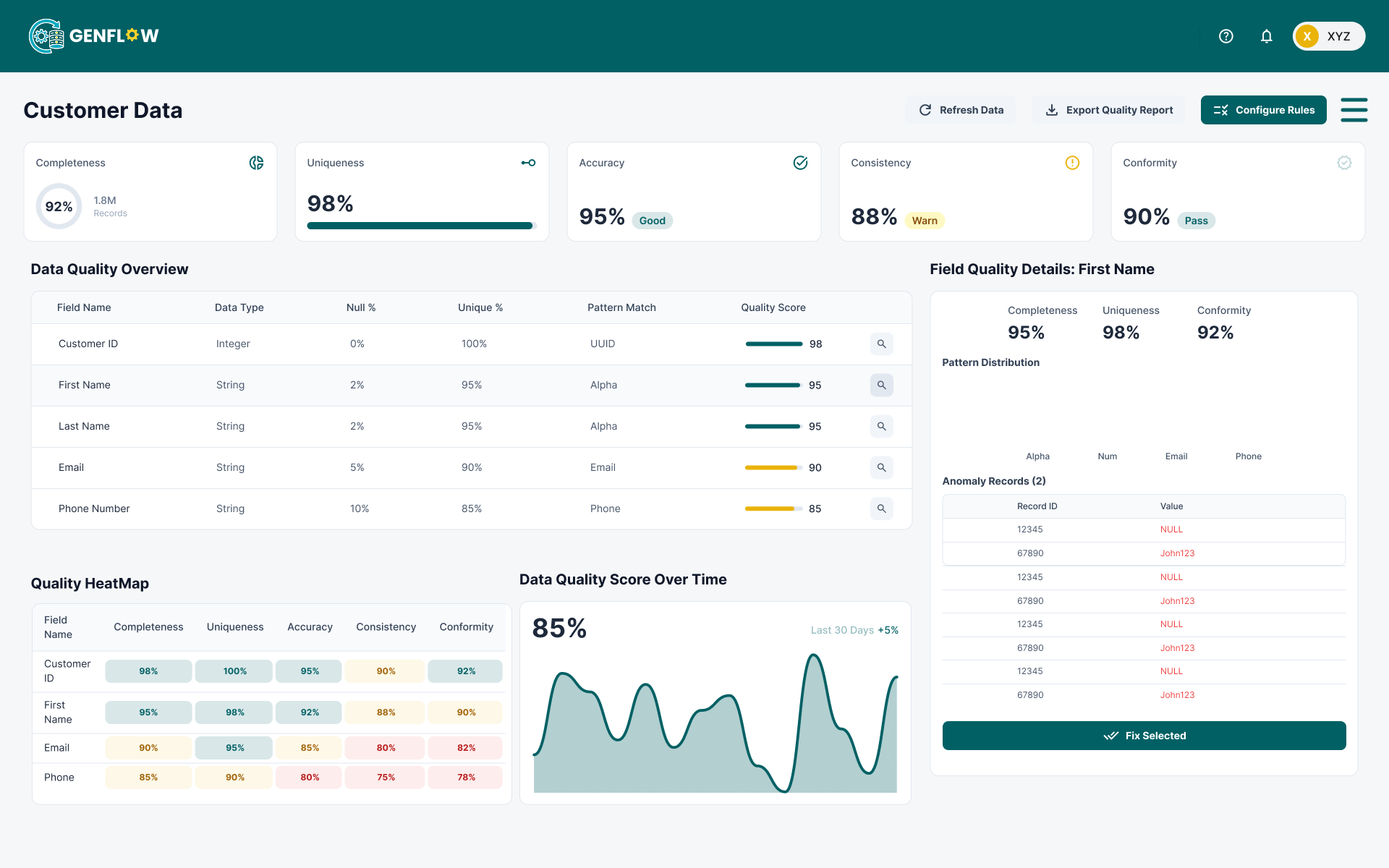
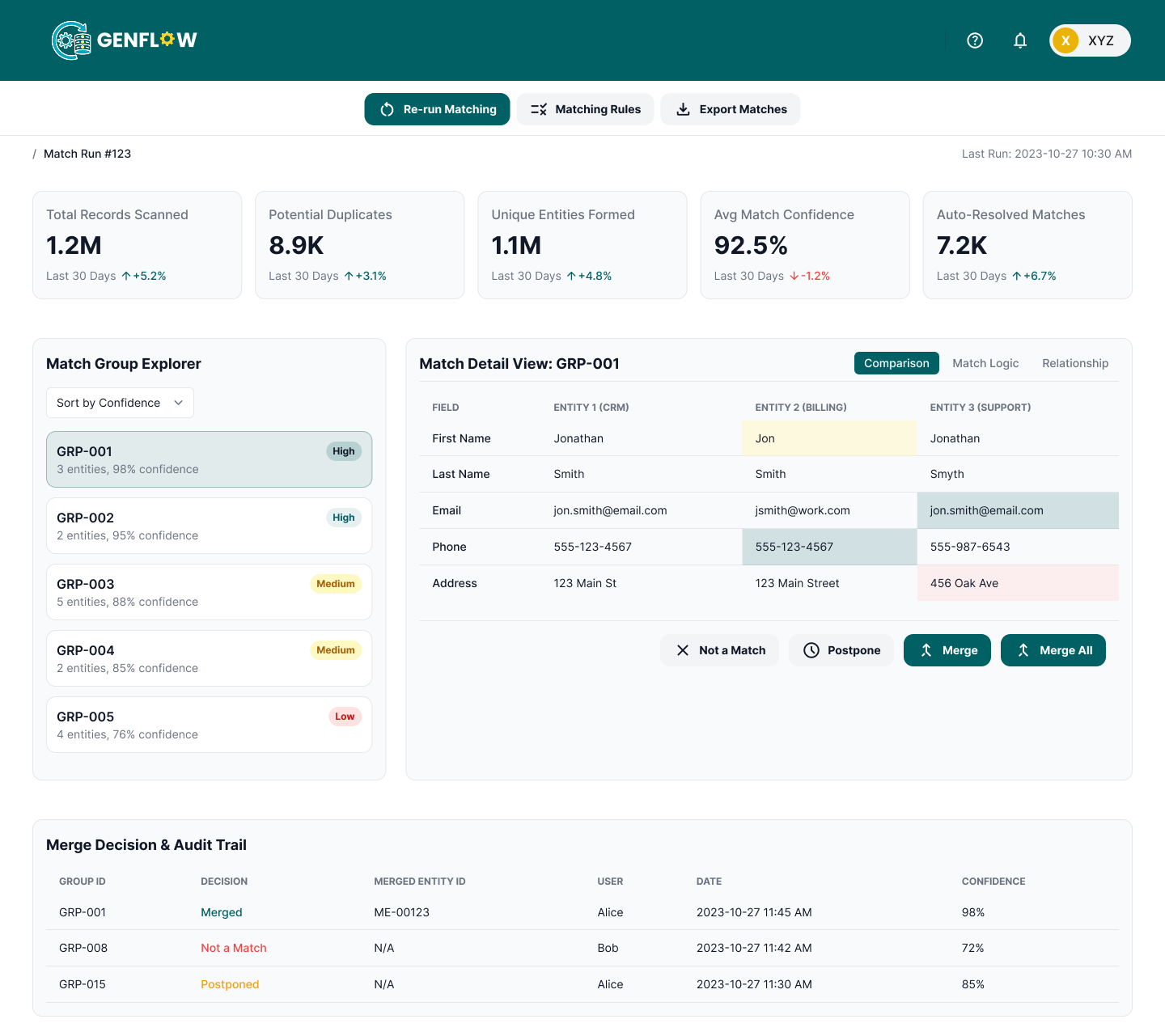
- 3. Interaction Layer: The user visually edits, understands, and executes the generated flow.
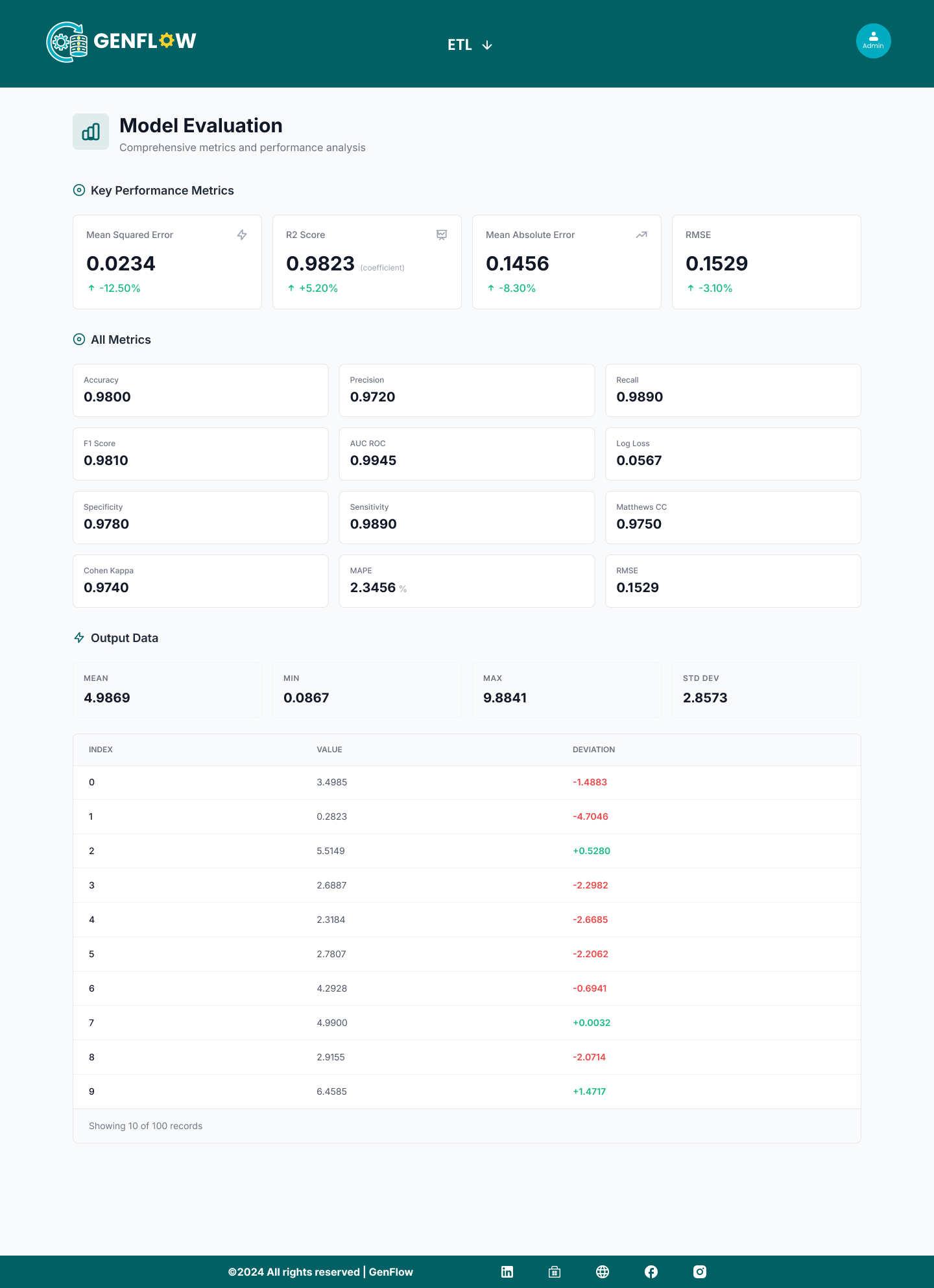
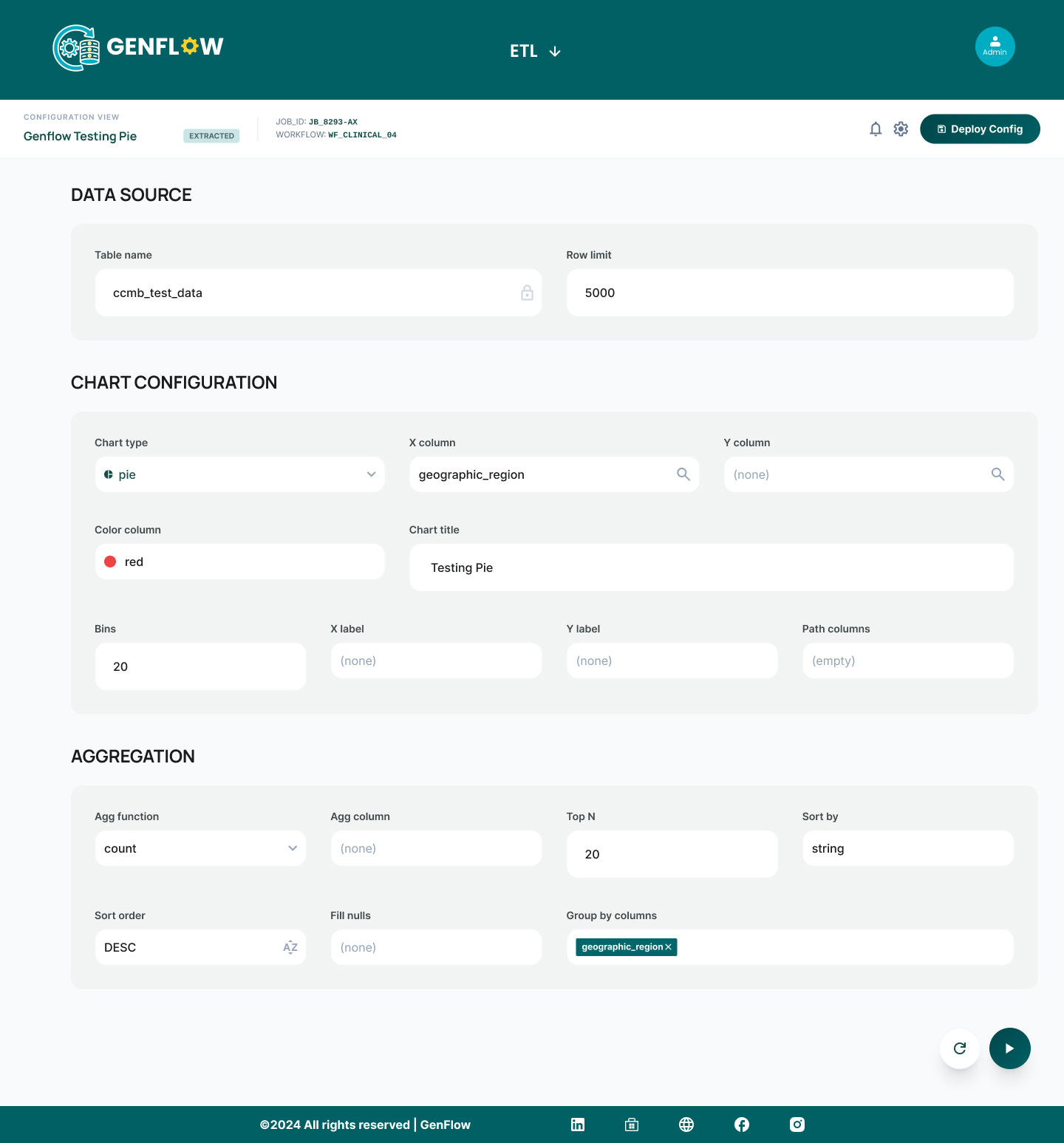
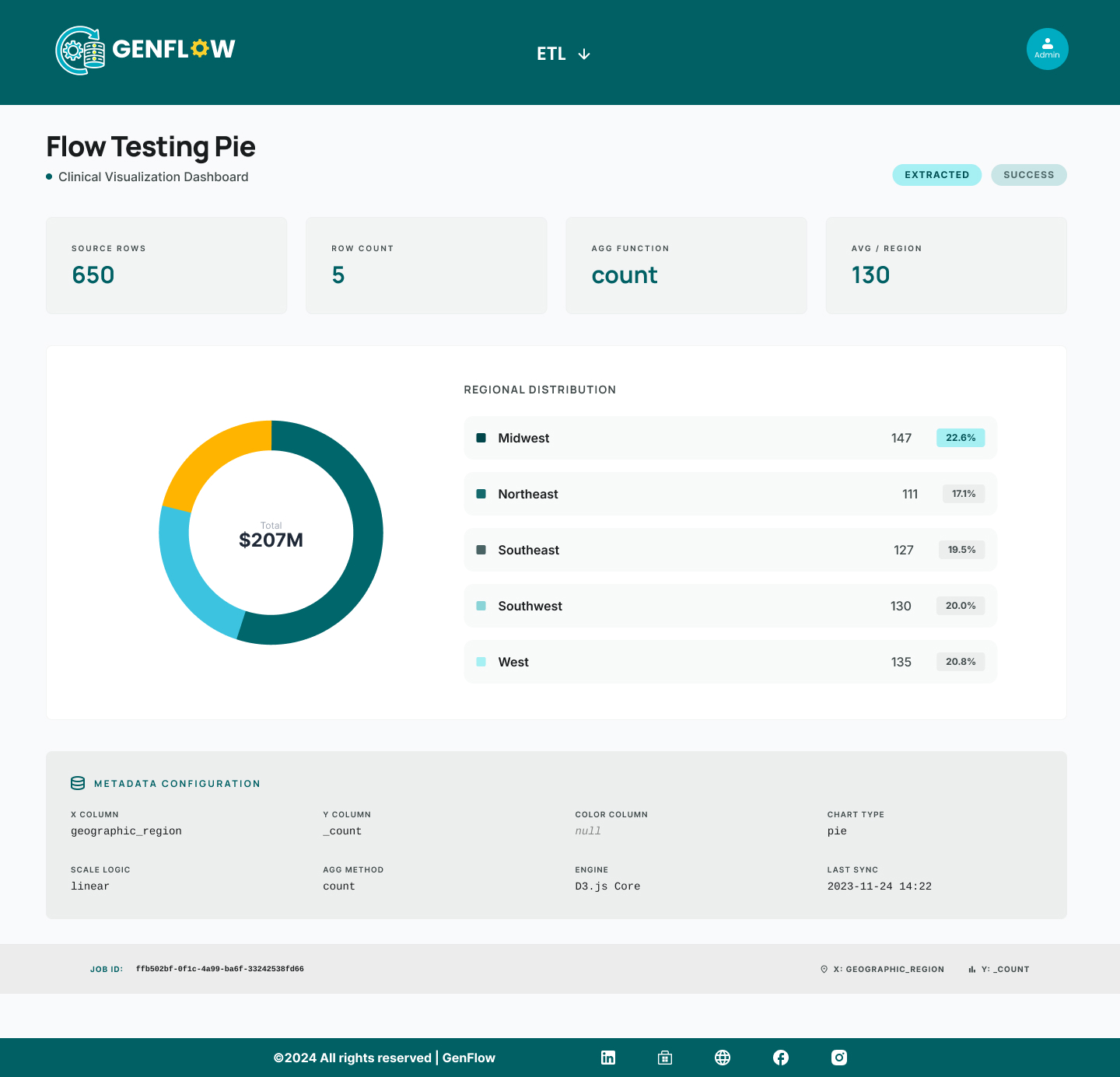
The Outcome
Results
The final experience successfully shifted the user focus from "building flows" to "achieving outcomes."
- Create workflows instantly without starting from scratch.
- Understand complex backend logic purely visually.
- Automate massive processes with zero technical expertise.
What I Learned
- The absolute hardest part of UX is removing the need for user thinking, not adding more features.
- AI works best when it specifically reduces uncertainty and provides a starting point.
- Visual simplicity is hyper-critical in system-heavy tools.
- Proactive guidance is far more valuable than raw flexibility for 95% of users.
Closing Thought
GenFlow is not just another workflow tool.
It is a system that intimately helps users think, decide, and automate—without a single drop of friction.